


Multiplayer games have reshaped the indie development landscape. What once required AAA budgets and massive infrastructure is now within reach of small teams thanks to modern engines, scalable cloud services, and well-documented networking models. Yet one architectural decision continues to determine whether a multiplayer indie game thrives or collapses under latency, cheating, or synchronization bugs: the choice and implementation of client-server architecture.
This in-depth guide explores client-server architecture specifically for multiplayer indie games—how it works, why it matters, what trade-offs exist, and how to implement it effectively. The focus remains practical, actionable, and aligned with real-world industry standards.
What Is Client-Server Architecture?

At its core, client-server architecture separates responsibilities between:
- Client – the player’s device (PC, console, or mobile)
- Server – a central authority that manages game state and logic
Instead of every player communicating directly with one another (peer-to-peer), each client connects to a central server. The server processes inputs, updates the game world, and distributes synchronized state back to all connected players.
This model is widely documented in networking fundamentals from institutions such as the Massachusetts Institute of Technology (MIT), and remains foundational in distributed systems theory.
In multiplayer gaming, the server is typically authoritative, meaning it makes final decisions about:
- Player positions
- Combat resolution
- Physics validation
- Scoring
- Inventory management
For indie developers, this architecture provides control, fairness, and scalability—if implemented correctly.
Why Client-Server Is the Industry Standard for Multiplayer Games
Major game engines such as Unity and Unreal Engine default to client-server paradigms for multiplayer systems. The reason is simple: centralized authority reduces cheating and ensures consistent gameplay across different network conditions.
Research from organizations like the Internet Engineering Task Force (IETF) emphasizes the importance of structured communication protocols for reliable data exchange. Multiplayer games operate in similarly demanding conditions, requiring predictable message delivery and synchronization.
For indie studios, the benefits include:
- Fair gameplay through authoritative validation
- Simpler synchronization logic
- Better cheat prevention
- Improved scalability via cloud hosting
- Centralized patching and updates
Peer-to-peer systems may seem easier initially, but they introduce complex security and NAT traversal issues. Client-server models provide more long-term stability.
Core Components of a Multiplayer Client-Server System
1. The Game Client
The client handles:
- Rendering graphics
- Capturing player input
- Playing audio
- Displaying UI
- Sending input commands to the server
The client should never be trusted with game-critical decisions. Even movement validation should be confirmed server-side.
Modern networking libraries such as Unity Netcode and Unreal’s replication system implement this principle directly.
2. The Authoritative Game Server

The server is responsible for:
- Running game logic
- Resolving physics
- Validating actions
- Maintaining world state
- Broadcasting updates
Cloud providers such as Amazon Web Services (AWS), Google Cloud, and Microsoft Azure offer scalable infrastructure specifically optimized for multiplayer games.
For indie teams, managed services reduce operational complexity while maintaining high availability.
3. Networking Layer (Transport Protocols)
Most multiplayer games use:
- UDP (User Datagram Protocol) for real-time gameplay
- TCP (Transmission Control Protocol) for non-critical data
Organizations like Cloudflare provide technical resources explaining why UDP is often preferred for latency-sensitive applications.
Key considerations:
- Packet loss handling
- Bandwidth optimization
- Serialization efficiency
- Security encryption
Choosing the right transport layer directly affects performance.
How Data Flows in a Multiplayer Client-Server Game
Understanding data flow clarifies design decisions.
- Player presses a movement key.
- Client sends input to the server.
- Server validates movement.
- Server updates world state.
- Server sends updated positions to all clients.
- Clients render updated positions.
This loop repeats dozens of times per second.
To reduce visible lag, most games use:
- Client-side prediction
- Server reconciliation
- Interpolation
These techniques are well documented in networking research and supported by game development best practices from sources like the Game Developers Conference (GDC).
Types of Client-Server Architectures for Indie Games
Dedicated Server Model
- Server runs on remote machine
- Players connect through internet
- Best for competitive or persistent games
Pros:
- High fairness
- Strong cheat prevention
- Scalable
Cons:
- Hosting cost
- DevOps complexity
Listen Server Model
- One player hosts server locally
- Others connect to host
Pros:
- Lower infrastructure cost
- Easy setup
Cons:
- Host advantage
- Stability dependent on host connection
Architecture Comparison Table for Indie Developers
| Feature | Dedicated Server | Listen Server | Peer-to-Peer |
|---|---|---|---|
| Cheat Resistance | High | Medium | Low |
| Scalability | High | Low | Low |
| Hosting Cost | Moderate | Low | None |
| Fairness | High | Host Advantage | Uneven |
| Setup Complexity | Moderate | Low | High |
| Best For | Competitive games | Casual co-op | Small private games |
For most indie multiplayer titles targeting public release, dedicated authoritative servers are the safest long-term choice.
Latency, Lag, and Synchronization Challenges
Latency is measured in milliseconds (ms) and represents the delay between action and response.
Key networking techniques include:
- Tick rate optimization
- Delta compression
- State snapshotting
- Lag compensation algorithms
Cloud infrastructure documentation from platforms like AWS and Azure explains how global server distribution reduces latency by placing servers closer to players.
Indie teams should prioritize:
- Regional server deployment
- Efficient packet serialization
- Bandwidth budgeting per player
Security Considerations in Client-Server Multiplayer Games
Security is not optional.
Authoritative servers reduce:
- Speed hacks
- Teleport hacks
- Resource duplication
- Score manipulation
Additional protection strategies:
- Server-side validation of all actions
- Rate limiting
- Encryption (TLS/DTLS)
- Anti-cheat middleware integration
Industry discussions at GDC frequently highlight server authority as the most effective baseline defense.
Scaling Infrastructure for Indie Multiplayer Games
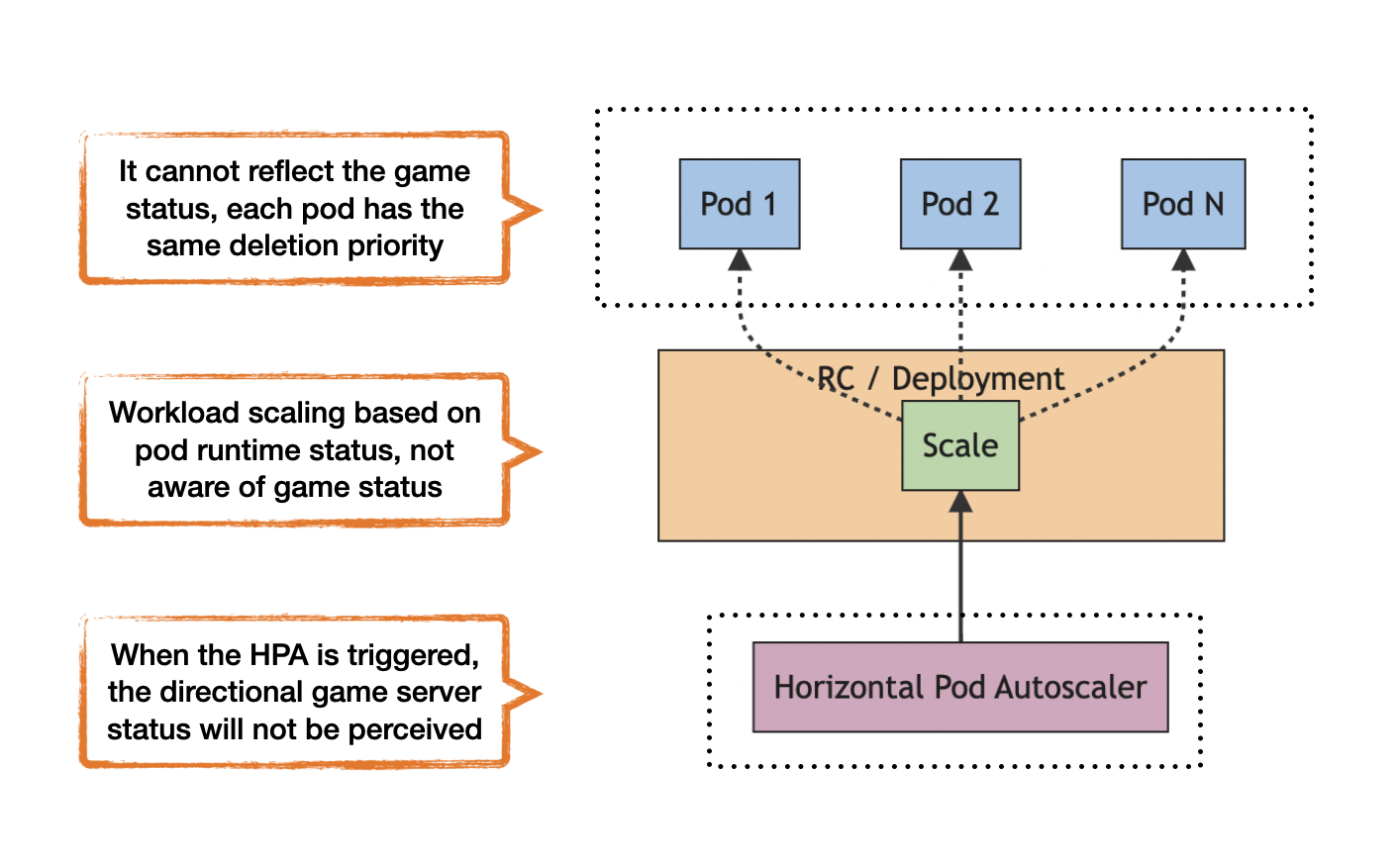
Scaling involves handling increased player load without downtime.
Strategies:
- Horizontal scaling (adding more servers)
- Load balancing
- Matchmaking distribution
- Containerization using orchestration tools
Managed services like AWS GameLift simplify matchmaking and autoscaling for indie developers.
Planning capacity early prevents:
- Server crashes at launch
- Overprovisioning waste
- Reputation damage
Designing Efficient Networked Gameplay
A well-designed multiplayer game minimizes unnecessary network traffic.
Best practices:
- Send only player inputs, not full states
- Compress packets
- Avoid sending unchanged data
- Implement interest management (only send nearby player data)
Interest management ensures that in a 100-player world, a player only receives data relevant to nearby interactions.
This dramatically reduces bandwidth costs.
Choosing the Right Tech Stack for Indie Teams
Popular combinations include:
- Unity + Netcode + Dedicated Linux servers
- Unreal Engine + Replication framework
- Custom C++/Node.js backend for lightweight games
Selection depends on:
- Team skillset
- Game complexity
- Budget constraints
- Target platform
Cloud hosting combined with containerization provides modern scalability without heavy DevOps overhead.
Cost Considerations for Indie Developers
Server costs depend on:
- Concurrent users (CCU)
- Bandwidth usage
- Tick rate
- Data center region
Early-stage indie projects can begin with small instance sizes and scale gradually.
Monitoring tools from AWS or Azure allow real-time tracking of:
- CPU usage
- Memory load
- Network throughput
Optimized code reduces long-term operational expenses.
Testing Multiplayer Systems Properly
Multiplayer bugs rarely appear in single-device testing.
Effective strategies:
- Simulate high latency environments
- Perform packet loss testing
- Load test with bots
- Use staging servers
Testing should include:
- 100+ simulated connections
- Edge-case disconnect scenarios
- Region switching
This ensures stability before launch.
Common Mistakes Indie Developers Make
- Trusting the client
- Ignoring latency compensation
- Over-sending data
- Skipping load testing
- Underestimating hosting cost
Avoiding these pitfalls significantly improves launch stability.
Frequently Asked Questions (FAQ)
What is the difference between peer-to-peer and client-server architecture?
Peer-to-peer allows players to communicate directly. Client-server routes all communication through a central authority. Client-server offers stronger security and fairness.
Is a dedicated server necessary for indie multiplayer games?
Not always. Small cooperative games can use listen servers. Competitive games benefit greatly from dedicated servers.
Why is UDP preferred for multiplayer games?
UDP reduces latency because it does not wait for packet acknowledgment. Real-time responsiveness matters more than guaranteed delivery.
How can latency be reduced in multiplayer games?
Deploy servers regionally, optimize packet size, use client-side prediction, and reduce tick rate appropriately.
Are cloud servers too expensive for indie developers?
Modern cloud providers offer scalable pricing. Starting small and scaling with player growth keeps costs manageable.
What is server reconciliation?
Server reconciliation corrects client predictions by applying authoritative server state updates.
Can multiplayer indie games scale globally?
Yes, using global cloud regions and autoscaling infrastructure.
Final Thoughts: Building a Multiplayer Foundation That Lasts
Client-server architecture remains the backbone of modern multiplayer games. For indie developers, the decision to implement an authoritative server model is not merely technical—it directly affects fairness, security, scalability, and player trust.
Dedicated servers provide control and competitive integrity. Listen servers reduce cost but introduce host bias. Peer-to-peer systems offer simplicity but create vulnerabilities.
A well-designed client-server architecture includes:
- Authoritative validation
- Efficient packet handling
- Latency compensation techniques
- Scalable cloud infrastructure
- Strong security practices
- Proper load testing
Multiplayer indie development is more accessible than ever, but success depends on thoughtful architecture decisions. Investing time in building a robust client-server foundation ensures smoother launches, stronger player retention, and long-term scalability.
For indie teams aiming to compete in today’s multiplayer ecosystem, mastering client-server architecture is not optional—it is essential.